The short answer: Most travelers should allow about 0.5–1GB per day. Choose 3GB for a light five-to-seven-day trip, 5GB for a typical week, 10GB for a connected 10–14 days, and 20GB or an unlimited plan if you stream, work, tether a laptop or upload a lot of video. These are planning allowances, not guarantees: your apps, settings and Wi-Fi use can change the result.
A Japan eSIM is easy to buy; choosing the right data allowance is the harder decision. Too little data creates anxiety every time you open a map. Too much is wasted money. The practical answer depends less on how many days you are in Japan and more on what your phone will do during those days.
Affiliate disclosure: Japan Travel may earn a commission if you purchase through the selected Saily link in this guide, at no extra cost to you. The sizing advice is based on traveler use cases, not on commission.
Japan eSIM data: the quick decision table
| Allowance | Best for | Realistic trip pattern | Main risk |
|---|---|---|---|
| 3GB | Light users | 5–7 days using maps, messages, email and hotel Wi-Fi | Social video, cloud backups or app updates can use it quickly |
| 5GB | Most one-week visitors | 7–10 days with regular navigation, browsing and light photo sharing | Frequent short-form video or hotspot use |
| 10GB | Connected multi-city trips | 10–14 days with heavy maps, translation, bookings and moderate uploads | Long video sessions or laptop tethering |
| 20GB | Heavy users | Two weeks or more, frequent social media and some tethering | May be unnecessary when reliable Wi-Fi is available |
| Unlimited | Work, streaming or low-maintenance travel | High daily use when you do not want to track every gigabyte | Fair-use or daily high-speed limits may still apply |

How much data do you use in a day?
Use a daily allowance instead of guessing from trip length alone. A light user can often stay near 0.3–0.5GB per day. A typical traveler who checks maps throughout the day, searches restaurants, translates menus and shares some photos should allow 0.7–1GB per day. Heavy social video, video calls, cloud photo sync or laptop tethering can push use to 1.5–3GB per day or more.
These bands are intentionally conservative planning estimates. Data counters measure traffic differently, apps change their behavior, and video quality can adjust automatically. Check your phone’s current mobile-data report before buying: your last ordinary week is a better clue than a generic calculator.
What uses relatively little data
- Messaging without large photo or video attachments
- Map searches and live navigation
- Train times, platform checks and station-exit lookups
- Translation of short text and menus
- Email, weather and ordinary web browsing
What can consume a plan quickly
- Streaming video or scrolling video-heavy social feeds
- Automatic photo and video backups
- App, operating-system or podcast downloads
- Video calls
- Using the phone as a hotspot for a laptop or another traveler
- Uploading original-resolution video while sightseeing
Choose 3GB if you are genuinely a light user
Three gigabytes can be enough for a five-to-seven-day trip when the phone is mainly a navigation and communication tool. It works best if you use hotel Wi-Fi for updates and media, download entertainment before flying, keep cloud backup off over cellular and avoid video-heavy feeds.
It is not the best choice for a traveler who says “I only need maps” but also posts Stories throughout the day. If you would be annoyed by checking the data counter every evening, move up to 5GB.
Choose 5GB for a normal one-week Japan trip
Five gigabytes is the useful middle ground for a typical week. It leaves room for repeated train searches, map corrections, restaurant research, ticket emails, translation and light photo sharing without paying for a very large allowance.
This is the strongest default for a first-time visitor staying mainly in Tokyo, Kyoto and Osaka. Large stations make live information particularly valuable; read the Japan train travel guide for a practical station-navigation strategy.

Choose 10GB for a longer or more connected trip
Ten gigabytes suits many 10–14-day itineraries, especially when you change cities several times, make reservations as you travel or share photos regularly. It gives you more tolerance for days without good hotel Wi-Fi and for the inevitable wrong exit or rerouted train.
A 10GB plan also makes sense for couples who will occasionally tether one phone, but each traveler having their own connection is usually more resilient. If you split up in a station, a single shared eSIM is suddenly in the wrong pocket.
Choose 20GB or unlimited for work, video or hotspot use
Heavy users should size the plan around their highest-consumption habit. A few work video calls, laptop updates or daily video uploads can matter more than two weeks of map use. Twenty gigabytes gives you a defined high allowance; unlimited is simpler when monitoring usage would distract from the trip.
Read the small print before treating “unlimited” as unrestricted full-speed data. On 10 November 2026, Saily’s Japan page listed 1GB, 3GB, 5GB, 10GB, 20GB and unlimited options. Its displayed unlimited plan included 5GB per day without a speed limit, followed by unlimited data at up to 1Mbps. Plan lengths, currency, discounts and terms can change, so confirm the exact checkout screen for your travel dates.
Compare current Japan eSIM plans with Saily →
Do you need one eSIM per traveler?
For solo travel, one eSIM is straightforward. For a couple or family, one large plan with hotspot sharing can save money, but it creates a single point of failure and keeps everyone close to the host phone. Separate smaller plans are more convenient when people shop separately, use different station exits or return to the hotel at different times.
- Share one plan if you stay together, need data only occasionally and know the hotspot limits.
- Buy one per person if you may separate, rely on messaging or want independent emergency access.
- Consider pocket Wi-Fi when several devices will stay together all day or a key phone does not support eSIM.
Check compatibility before you buy
Your phone must support eSIM and be carrier-unlocked. Apple says supported iPhones can use a travel eSIM alongside the home line, but an iPhone using another provider must not be carrier-locked. On an iPhone, check Settings → General → About → Carrier Lock; an unlocked device shows “No SIM Restrictions.” Android menus vary by manufacturer, so check the exact model and region rather than only the phone family name.
Saily’s setup guidance also requires an internet connection for installation. Install the profile on reliable Wi-Fi before departure, then follow the provider instructions for selecting the travel line and enabling data roaming on that eSIM after arrival. Disable cellular-data switching and roaming on the home line if you want to avoid accidental home-carrier charges.
How to make a smaller data plan last
- Download operating-system updates, apps, entertainment and language packs before the trip.
- Turn off cellular cloud backup and automatic app updates.
- Reduce video quality and disable autoplay in social apps.
- Use hotel Wi-Fi for large photo and video uploads.
- Download offline map areas before travel. Google notes that offline maps can guide driving within the downloaded area, but offline transit, walking and cycling directions are unavailable—so keep some live data for Japan’s trains and city walking.
- Check the phone’s data counter after the first full sightseeing day, then adjust.
- Keep screenshots of the hotel address, important tickets and the route from the airport.
Connectivity is one part of a smooth arrival. Pair this checklist with 15 things to know before your first Japan trip, the Japan Transportation Guide and the first-trip itinerary planning guide.
What about rural Japan?
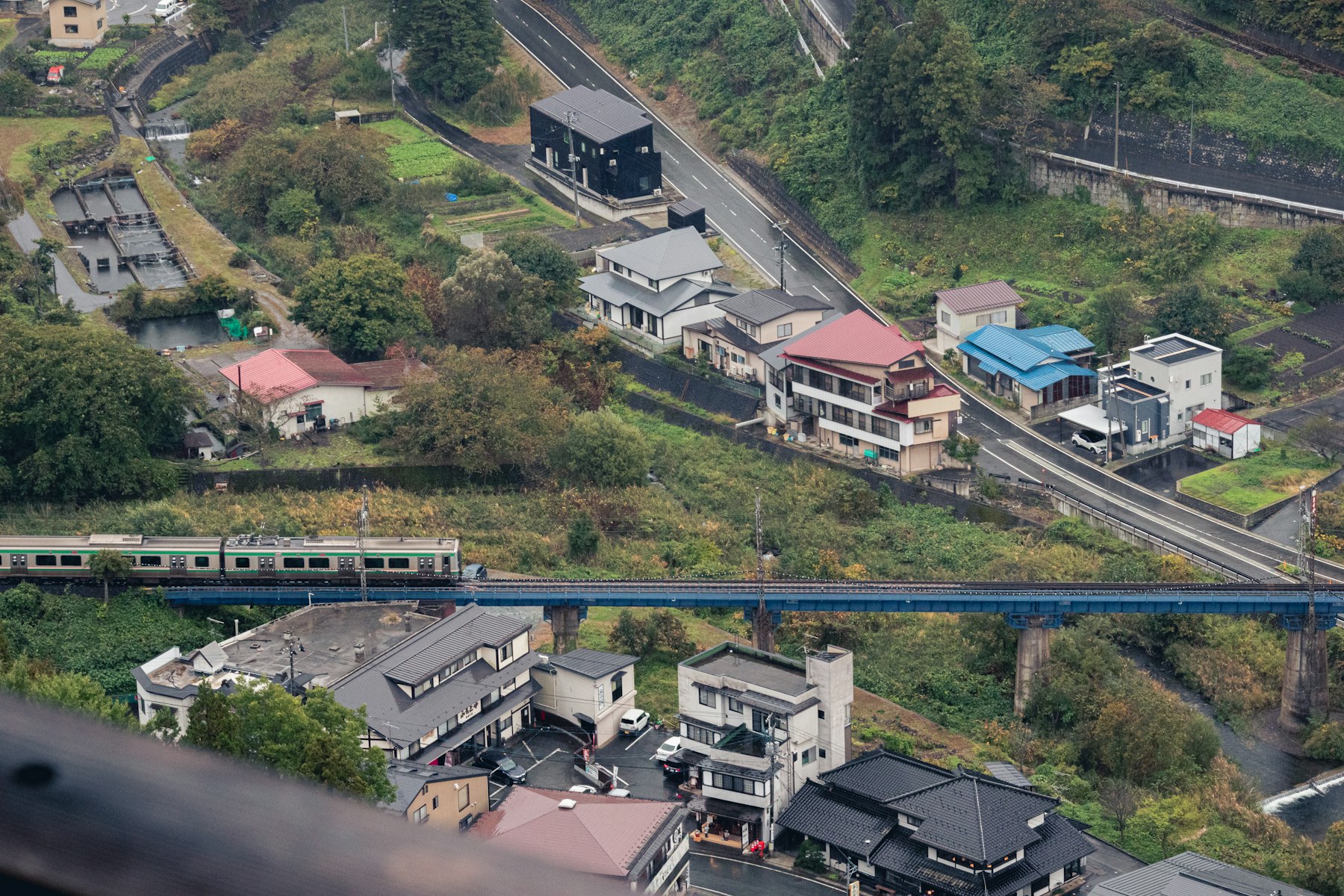
A larger allowance does not create a signal where coverage is weak. Mountain roads, tunnels, remote valleys and some indoor spaces can still interrupt service. Save essential information offline, tell someone your route for remote hikes and do not rely on a live connection as your only safety plan.
If the trip includes long rural journeys, plan transport and connectivity together. Start with the Japan itinerary framework, then use the Japan travel budget guide to keep data, intercity transport and accommodation in the same spending plan.
The simplest recommendation
Choose 5GB for a normal one-week trip, 10GB for a typical two-week trip, and 20GB or unlimited only when you know you will stream, work or tether. Drop to 3GB when you are disciplined about Wi-Fi and offline downloads. Before paying, confirm the plan’s validity period, hotspot rules, high-speed limits, top-up options and the exact network terms shown at checkout.
Details checked 10 November 2026. Authoritative references: Saily Japan eSIM plans, Saily activation guidance, Apple travel eSIM guidance and Google Maps offline-map guidance. Recheck current plan terms and device compatibility before purchase.